PUBG Server Status and Downtime Issues
Discover the ultimate guide to PUBG server status, expertly navigating frustrating connection errors and endless loading screens to determine if the PUBG servers are down now. Uncover reliable sources and essential tips for resolving server issues across all platforms, ensuring you stay ahead of downtime and maintenance schedules.
A connection error, an endless loading screen or a lobby that will not load; these issues are irritating and leads to an important question “Are the pubg servers down now?” In 2026, PUBG: BATTLEGROUNDS has been operational across all platform types i.e. PC, console and mobile through a global network of servers which means that downtime can vary for players across the globe. For example, some players can be experiencing delays due to scheduled maintenance, others from a legitimate outage while others may simply have connectivity issues between their platform, ISP and Krafton’s backend.
Are pubg servers down now?
The easiest way to determine whether or not the pubg servers are currently down is to verify the status with multiple sources (at least two or three) rather than relying solely on your own experience with the game. A matchmaking delay or random disconnection can be caused by a localised problem, regional routing problem or heavy traffic at peak times.
Additionally, verifying the live server status can also heavily depend on your location. For example, if you are on PC, you should verify the official support channels for PUBg as well as the service health of Steam (where you purchased your copy of the game). Console users should check the PSN or Xbox Live service status page, while PUBG Mobile / BGMI players will need to know that those games function on a different server than the PC version. Issues on PC does not necessarily have a direct correlation to mobile.
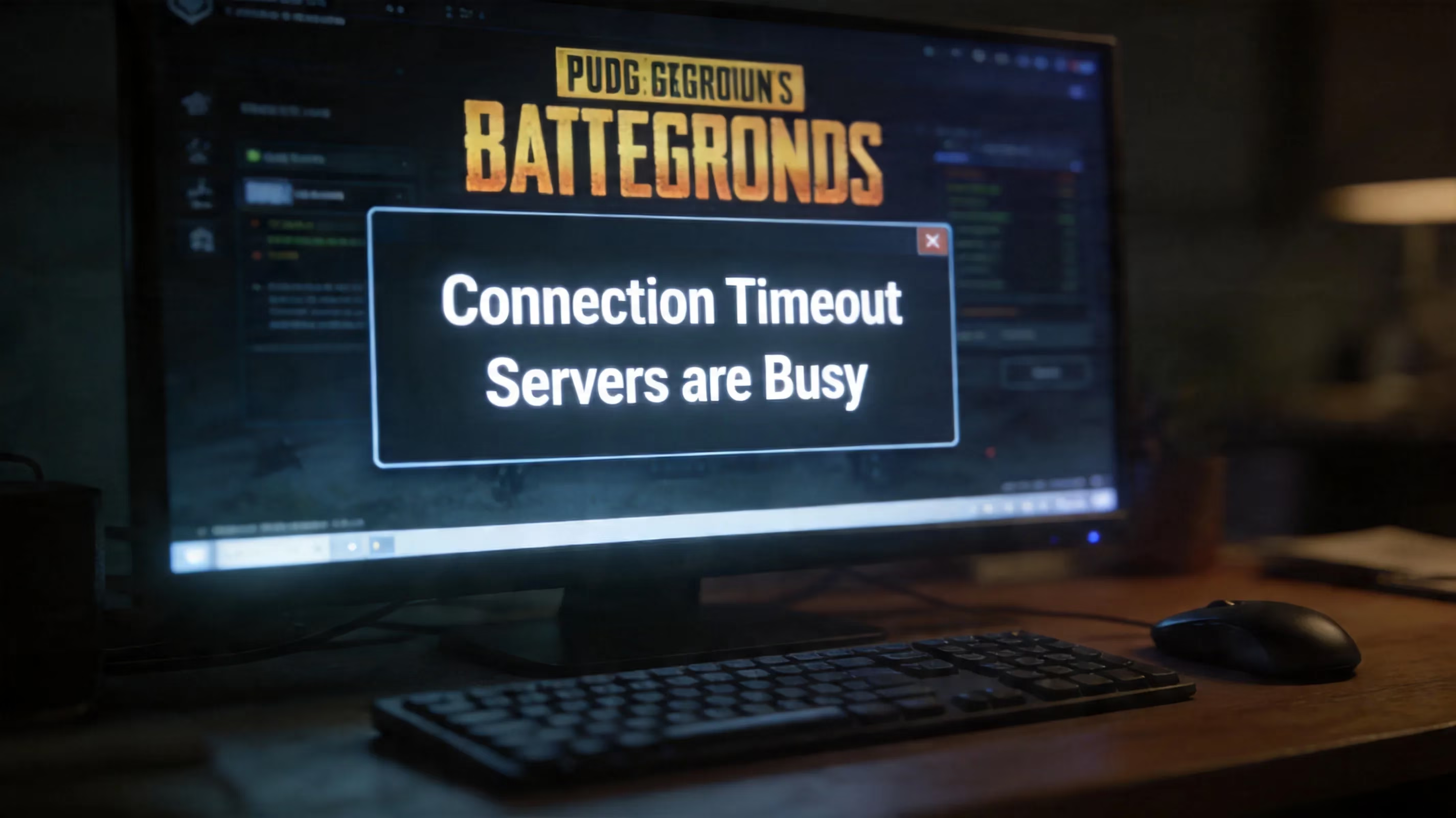
What needs to be determined is whether you are dealing with scheduled maintenance or an actual outage. When scheduled maintenance occurs, PUBG generally posts the appropriate maintenance message, typically with a countdown and an estimated end date/time. Actual outages are much messier. It's not uncommon for players to see generic connection errors, timeouts over and over, or get stuck loading a lobby for no apparent reason.
Since PUBG is such a massive game, there are also likely to be regional issues. For example, a server cluster (SEA, South America, etc.) may have issues while NA and EU may be running fine. Technically, the game is still online in this case, but players will immediately know it through packet loss, high ping, or connectivity issues in that region.
PUBG Server Status Sources
The best real-time source of server information is still the @PUBG_Support account on X (previously called Twitter). This is where Krafton typically posts the first maintenance announcements and links to patch notes, as well as any updates following maintenance relating to server availability. A good example would be the announcement posted during a recent server maintenance cycle regarding the beginning of live server downtime and the anticipated 8.5 hours of downtime.
The second place you should look is the patch notes on the official website (pubg.com). Typically, scheduled maintenance windows will show UTC timestamps ahead of time. The maintenance window for the PC version of update 41.1 was scheduled for 00:00 – 08:30 UTC while the console version’s maintenance window was scheduled for 01:00 – 09:00 UTC on 16 April. These maintained windows may generally be modified but they are the best estimate of planned downtime.
PC players should also check Steam. If the Steam platform itself is experiencing issues with authentication or network connectivity, even though Krafton from their end is not experiencing any issues, PUBG may not launch or connect to the servers. Therefore, reviewing the Steam status along with the official PUBG channels will help you determine if you are experiencing a deserted game or if it is a deserted platform.
In addition to the above there are also third-party outage monitoring sites that can provide an early warning of problems. They are collecting player-generated reports in real-time and are typically one of the first places to indicate an increase in reports from a specific area before Krafton provides an official update. These sites have the most value as a complement to your other information sources.
PUBG Maintenance Schedule and 2026 Maintenance Windows
Krafton has been providing numerous updates throughout 2026. The PC version of these updates is typically available at least 7 days prior to console updates. The PC version is generally released on either a Tuesday or a Wednesday during UTC time. Players for each platform will usually experience a very small time difference between active maintenance periods. From the update patch notes (41.1) the downtime patterns across platforms looked like this:
| Platform | Maintenance Start (UTC) | Estimated Duration | Ranked Season Reset |
|---|---|---|---|
| PC | 08-Apr-21 00:00 | ~ 8.5 Hours | Yes (Season 41) |
| Console | 16-Apr-21 01:00 | ~ 8.0 Hours | Yes (Season 41) |
These maintenance windows are typically set at lower traffic times to minimize disruption, which helps explain why the PC maintenance window often starts early UTC. Once the maintenance period has ended, ranked resets will subsequently occur upon the completion of their respective maintenance cycles too so that players on each platform will have immediate access to their previous rank when they log back into the game once their maintenance period ends (via the Career page) until the competitive rank has come to fruition within their respective platform's competitive season.
The 2026 content roadmap indicates that this pattern will likely continue as larger updates are deployed (i.e. Destructible Terrain on Erangel; Hybrid Scope/ Tilted Grip Attachments; Xeno Point Events, etc.) will typically trigger offline events as well. If you pay attention to the Patch Notes Page you will know well in advance of any of these outages — almost always in advance due to being detailed within each patch note.
PUBG Not Working But The Servers Are Up (Online)
If the Official Communication Channels indicate that PUBG is Online and the other Players are able to join Games then most likely your connection is Localised. More than likely the issue is related to an unresponsive Login Session; a Fingerprint Matching Error; ISP Routing Issues or Software Conflict on your system or Device.
Indications that Routing Issues exist between your ISP Provider and Krafton's Servers will resemble an actual Outage at times. Timeouts, slow connections, and endless lobbies might present themselves only on a single connection path. It’s worth using traceroute to try to identify where packets are being dropped among the many hops from the user to the authentication servers or portals. A quick way to see if there is a problem on the user side is to try switching to a different internet connection. If you have trouble with mobile data using an ISP but have no issues using a cell phone connection, then you have narrowed down possible reasons for the problem to most likely be either a problem or congestion with your ISP network.
Before implementing changes to your settings, you may want to check your connection to the platform layer. PUBG still uses the platform services like Steam, PSN, and Xbox Live to access and authenticate to the backend of the game. Therefore, if Steam or other platforms are experiencing issues with CDN or login flow, PUBG may fail to work even though all the backend services the game accesses are working fine.
For PUBG Mobile, there are more users connected via mobile data vs. WiFi. The problem lies with some carriers throttling or improperly routing Mobile Data gaming traffic during high-volume periods. This can result in rubber banding or packet loss, which can feel as if you have issues with the server alone. A simple switch in internet connection can negate the uncertainty about whether the problem is on your or the game’s side.
Troubleshooting on PC
If you are playing on PC, the first thing you’ll want to do is run the file verification tool on Steam. Open PUBG from your Steam Library, then click on Properties, Local Files, and select “Verify Integrity of Game Files.” Although a simple procedure, it will identify any missing or corrupted game files to ensure that you do not have issues logging in, crashing, or being unable to connect to a lobby.
Next, flush your network and TCP/IP stack to clear out any stale data that could contribute to failures linking your network to the authentication servers:
- Windows: Open the Start menu, search for CMD, right-click on the Command Prompt entry, and select “Run As Administrator,” then type the following;
ipconfig /flushdns. This is an easy device to use and takes just a few seconds to run. Following this, restart your router to receive a new DHCP lease for your connection, and to remove possible NAT entries obstructing the connection for PUBG.
Additionally, VPNs and firewall rules are major contributors to your setup being unplayable yet ignored as often as possible. These two issues are well known and relevant to every form of gameplay with regards to PUBG, as these block access to the anti-junk processes and servers that PUBG will be coming from, and they will be more disruptive if your VPN routes pass through a long-distance region. Please turn off your VPN during the testing phase of these steps. Ensure that the iP that PUBG would use is being permitted through your firewall to your PC or device as well.
Troubleshooting Console and Mobile Players
For PlayStation and Xbox players, the initial step will not involve PUBG but rather checking the console’s network status page to see if your console is having any authentication issues with either your PSN or Xbox Live account. If so, there is no fix for authentication issues while in-game, and you will have to go to the services of your console first before continuing with any troubleshooting steps.
Once it has been confirmed that the network status of the console has no issues, you will then want to perform a “full cache clear” on your console. This is done by turning off your console completely and unplugging for 30 seconds or more before restarting. This can fix a surprisingly large variety of login and lobby issues that you might experience.
Another thing to consider when trying to connect back to PUBG is logging out of your account on your PSN or Xbox account and then signing back in to your account so that your session token can be reset. Token sessions can become corrupt when you have two or more extended sessions with gameplay or after the last time you powered your console back on from either a full reset or from your console being in a sleep mode, and logging out and back in to your account is almost always worth attempting early in fixing your issues.
When using BGMI and PUBG Mobile internationally, you should remember that both of these versions have different servers and will no interact with one another. BGMI operates its own region-specific infrastructure with separate maintenance schedules. As a result, BGMI user reports do not always indicate that PUBG Mobile users in SEA/North America are experiencing the same issue(s).
PUBG Outage Indicators While in Match
In-game connectivity issues often become apparent when players actually enter a match; one of the best examples of this is rubber banding. If a player’s character is constantly snapping back to a previous position, this usually means that there is either packet loss or ticking problems with the server. If several squad members observe this, it’s unlikely to be solely one squad member experiencing it.
Another major indicator of server issues is desync. Desync is when the events happening on the player’s screen do not match the actual state of the game on the server. If a player attempts to shoot an enemy at rest (or with very little movement), nothing registers on the server. If a player attempts to loot an item and it disappears, there are clear indications that there is a problem with the connection between the player’s client and the server.
Also, issues transitioning between lobbies and matches, i.e. the game freezing (for several seconds) when moving from pre-game lobby to in-game phase, or suddenly being kicked back to the main menu, are often indicators of an impending larger outage. Normally there will be a flurry of like-minded reports appearing across social media (e.g. Discord and Reddit) in the minutes just before an actual outage occurs. Sudden spikes in bot quantity within lobbies, at times where it should have and where there are plenty of people regularly playing the game, can also indicate whether there are regional clusters that are having trouble or the matchmaking algorithm is filling in with partially filled lobbies due to players not being connected to the service.
FAQ Regarding PUBG Servers Being Down
How long does maintenance for PUBG take?
The average time it takes to complete a standard patch is between 4-8.5 hours on PC; Smaller hotfixes on PC are typically 1-2 hours; Larger seasonal updates and ranked resets can take up to 48 hours.
Why is there only one region down?
PUBG has different server clusters for each region of the world. A hardware, networking or software issue with a data center within a region could potentially cause that region’s servers to go down, although the rest of the game will continue to work normally for players outside of that region. Single-region outages usually get fixed quicker than global outages due to the smaller area of impact.
Will ranked progress be reverted if there is a server-side failure that affects a ranked game?
If a server-side issue causes a ranked game to be stopped mid-game, Krafton will usually state that no RP will be gained/lost for that ranked match. However, some situations are not always handled the same way as others due to partial match data. If there is an outage that affects ranked match play, check the official Twitter account and support portal to see if they will be providing updates regarding game cancellations and/or providing compensation for such issues.
When should you stop troubleshooting, and wait?
If you have already confirmed through the official sources (support portal or Twitter account) that there is an active incident or maintenance, troubleshooting at that point would be of little to no assistance. Reliable sources to monitor for status updates at that point would be the official PUBG Support Twitter Account. If the servers are indicated as up and healthy on the official sites, and you have already attempted all of the normal troubleshooting procedures, it may be time to submit a support ticket requesting assistance and provide any available logs of your network connection.
Conclusion
To get the quickest answer to are pubg servers down, check the PUBG Support Twitter Account first, then the official patch notes on pubg.com, and finally the platform status page for either Steam, PSN, or Xbox Live to confirm the status of the servers. Third-party outage tracking sites can also provide some indication of when and where reports are happening; however, they are more effective when used in conjunction with verification from official sources.
After confirming that the PUBG servers are available for play, your next step should include the following:
-
Verify the status of the official server at the time you are attempting to connect.
-
Verify the status of either your platform's (Steam, PSN, Xbox Live) connectivity.
-
Power off and power back on your internet router.
-
Clear your DNS on your PC or clear your console's cache.
-
Disable any VPN connection and review firewall exceptions for blocking access.
-
Verify your Steam game files.
-
If you are using a mobile device, test using Wi-Fi and while using the mobile data network.
Upon review of these items, you should know fairly quickly if the issue you were having connecting to the PUBG servers was on your side or Krafton's. Hopefully, this will allow you to get back in to playing on whichever map of PUBG you enjoy (Erangel/Miramar) or continuing with your pursuit of ranked gameplay as soon as possible with minimal interruption.
Data referenced from GamesIndustry.biz reinforces why “are PUBG servers down?” can have different answers by region and platform: modern live-service titles rely on layered infrastructure (publisher backends, platform authentication, CDNs, and regional data centers), so a Steam or PSN login disruption, a single cluster outage, or routing congestion with an ISP can all present as the same in-game symptom—endless loading, timeouts, or failed matchmaking—even when the game is broadly operational elsewhere.